Milesight WS101: LoRaWAN SOS & Smart Button
Milesight WS101 LoRaWAN SOS button: own ChirpStack/ThingsBoard decoder, decoded press events, battery reporting and panic-alarm integration.
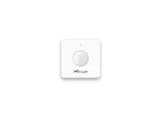
- LoRaWAN
- Class A, OTAA
- Band / port
- EU868 / port 85
- Press actions
- Short, long, double press
- Feedback
- LED indicator + buzzer
- Range
- Up to 15 km line of sight
- Battery
- Replaceable, several years
- Configuration
- NFC (Milesight ToolBox)
What the WS101 measures
Button event
Short press, long press and double press, each as a distinct status code.
Battery level
Reported as a percentage so dashboards can warn before the cell runs flat.
Device status
Class, firmware and serial number on join, useful for fleet inventory.
Integration
Sensor / controller
Measures or controls in the field and sends LoRaWAN uplinks.
LoRaWAN gateway
Receives the radio packets and forwards them to the server.
ChirpStack
Network server: manages sessions and decodes the payload.
ThingsBoard / Grafana
Dashboards, alarms, rules and reports.
function decodeUplink(input) {
  var bytes = input.bytes;
  var data = {};

  for (var i = 0; i < bytes.length; ) {
    var channel = bytes[i++];
    var type = bytes[i++];

    if (channel === 0x01 && type === 0x75) {            // battery (%)
      data.battery = bytes[i]; i += 1;
    } else if (channel === 0xff && type === 0x2e) {     // press event
      data.button_event = readButtonEvent(bytes[i]); i += 1;
    } else if (channel === 0xff && type === 0x01) {     // IPSO version
      data.ipso_version = bytes[i]; i += 1;
    } else if (channel === 0xff && type === 0x09) {     // hardware version
      i += 2;
    } else if (channel === 0xff && type === 0x0a) {     // firmware version
      i += 2;
    } else if (channel === 0xff && type === 0x0b) {     // device status
      i += 1;
    } else if (channel === 0xff && type === 0x0f) {     // LoRaWAN class
      i += 1;
    } else if (channel === 0xff && type === 0x08) {     // serial number
      i += 6;
    } else {
      break;
    }
  }
  return { data: data };
}

function readButtonEvent(v) {
  if (v === 1) return "short press";
  if (v === 2) return "long press";
  if (v === 3) return "double press";
  return "unknown";
}

function readUInt16LE(b, i) {
  return (b[i + 1] << 8) | b[i];
}
Implemented from the published Milesight byte specification (Communication Protocol / User Guide).
Channel format: 01 75 battery (%), FF 2E press event (1 short, 2 long, 3 double). The FF channel also carries device info on join (IPSO, hardware and firmware version, serial, class), which the decoder skips by length. Implemented from the published Milesight byte specification. For ThingsBoard the same logic goes into an uplink converter.
Uplink (hex)
017564FF2E01Decoded JSON
{ "battery": 100, "button_event": "short press" }Use cases
Panic & SOS alarms
One press raises an emergency alert for care, hotel rooms or lone workers.
MoreScene control
Map short, long and double press to lights, scenes or service calls.
MoreAssisted living
Carried or wall-mounted call button for seniors and patients.
Configuration & pitfalls
NFC setup
Keys, reporting interval and the LED/buzzer behaviour are set over NFC with the Milesight ToolBox before rollout.
Map every press type
Short, long and double press arrive as 1, 2 and 3. Decide which one is the emergency action and which only triggers a scene.
Heartbeat vs event
Most uplinks are press events; battery is reported on its own schedule, so do not treat a missing battery field as a fault.
D2D fail-safe
The WS101 can trigger another Milesight device directly without a gateway. When a D2D command fires the device may not send a normal uplink, account for this in monitoring.
How merkaio supports your WS101
From sourcing to day-to-day operation, all from one partner on our own European infrastructure.
Pre-staging & provisioning
We configure the WS101, set keys, intervals and alarms, and ship it ready to deploy.
Own decoder
Payload codec for ChirpStack v4 and ThingsBoard, implemented from the Milesight specification.
Dashboard integration
Data lands in your ThingsBoard or Grafana, with alarms and reports.
Operations & monitoring
We run the LoRaWAN stack and dashboards on European infrastructure, you just use the data.
Frequently asked questions
Let's discuss your infrastructure. Digital and on-site.
Whether it's IoT platform development, hardware selection, managed hosting for ChirpStack, ThingsBoard, Grafana or NetBird VPN, or migration from a self-hosted setup - we'll find the right solution for your use case. Book a free 30-minute consultation, no commitment required.

Your contact
Timo Wevelsiep
Founder, merkaio
15 minutes, no commitment, directly with Timo.
Decoder for ChirpStack v4. merkaio is an independent integrator and is not affiliated with Milesight.