LoRaWAN Classes A, B and C: Which Device Class Do I Need?
 Timo Wevelsiep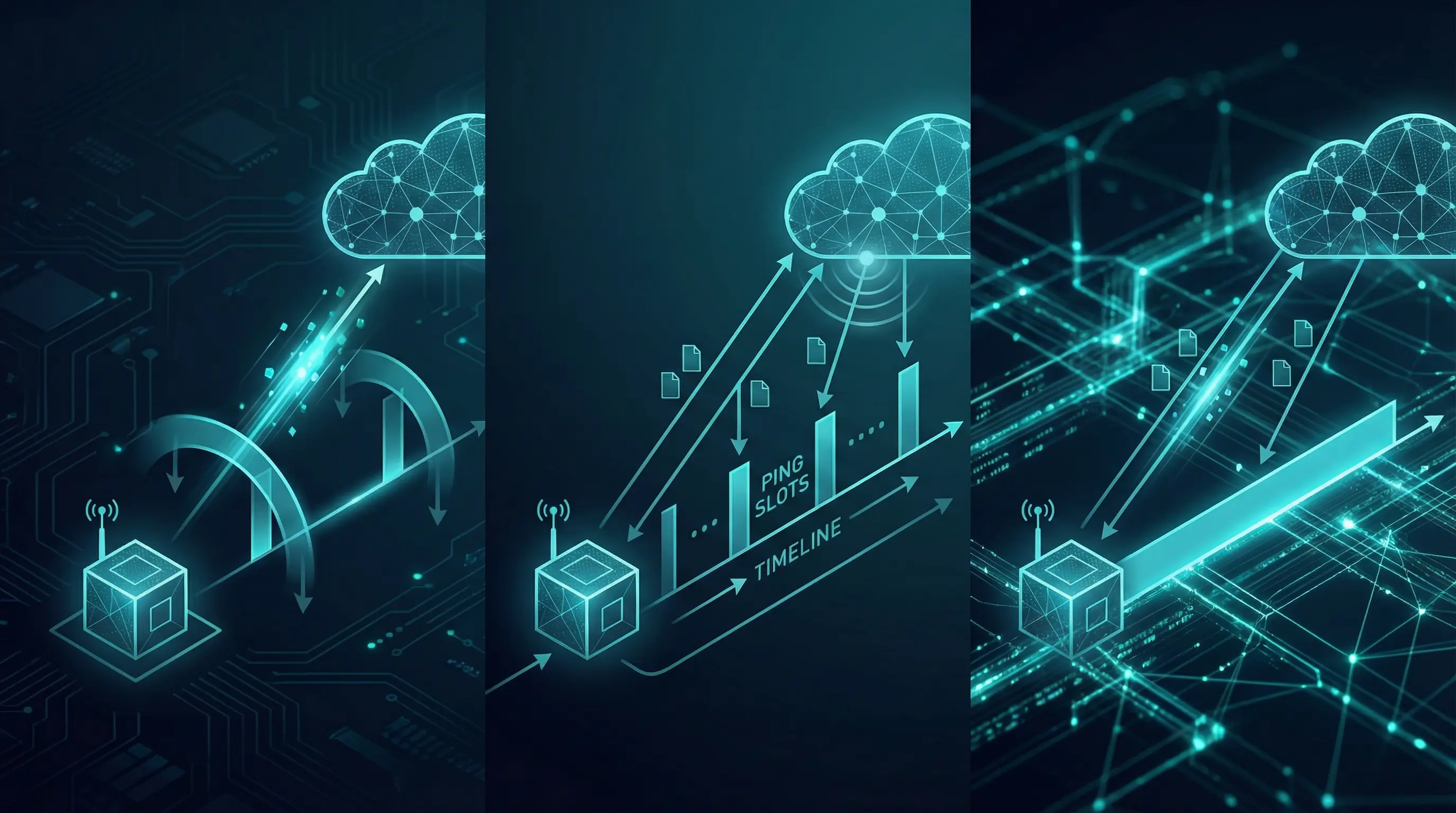
Content notice: The information in this article was compiled to the best of our knowledge at the time of publication. Technical details, pricing, versions, licensing models and external content are subject to change. Please verify the information independently, especially before making business-critical or security-relevant decisions. This article does not constitute individual professional, legal or tax advice.
LoRaWAN is one of the leading wireless technologies for the Internet of Things. A central concept that determines energy consumption, response time and the capabilities of a device are the device classes A, B and C. They define when and how often an end device is ready to receive data from the network – and that's exactly what determines whether your sensor runs for 10 years on a battery or needs a fixed power supply.
In this article, we explain the three classes in detail, compare them directly and help you choose the right class for your use case.
Table of Contents
- What Are LoRaWAN Device Classes?
- Class A – The Battery Champion
- Class B – The Compromise
- Class C – Always-On
- Comparison: Class A vs. B vs. C
- Class Switching at Runtime
- Which Class Should I Choose?
- Conclusion
What Are LoRaWAN Device Classes?
The LoRaWAN specification by the LoRa Alliance defines three device classes: A, B and C. Each class describes a specific communication behavior – more precisely, when an end device opens receive windows to accept data from the network server.
The central difference lies in downlink behavior: How and when can the server send a message to the device?
Importantly: Class A is the foundation. Every LoRaWAN device must support Class A. Classes B and C are extensions that provide additional receive opportunities – at the cost of energy consumption.
This also means that a Class B device can do everything Class A can – plus the additional ping slots. And a Class C device also builds on Class A but keeps its receive window open almost permanently.
Let's look at the three classes in detail.
Class A – The Battery Champion
Class A is the default and is used by the vast majority of all LoRaWAN devices. The principle is simple: The device determines when communication happens.
How Class A Works
- The end device sends an uplink (e.g., a measurement)
- After exactly 1 second, the first receive window opens (RX1)
- After 2 seconds, the second receive window opens (RX2)
- Then the device returns to sleep mode
Uplink ──► [1s pause] ──► RX1 ──► [1s pause] ──► RX2 ──► Sleep ────────────►
           ◄─ Window 1 ─►        ◄─ Window 2 ─►        ◄── No reception ──
The server can only respond to the device directly after an uplink. If a sensor transmits every 15 minutes, there's also only a downlink opportunity every 15 minutes.
Advantages
- Minimal energy consumption – the device sleeps most of the time
- Longest battery lifetime – 5 to 10 years are realistic
- Simplest implementation – every LoRaWAN device supports Class A
- Lowest network load – no additional synchronization messages required
Disadvantages
- High downlink latency – commands only reach the device at the next uplink
- No time-critical downlink possible – if the sensor sends every 15 min, a command may wait up to 15 min
Typical Applications
- Temperature sensors, humidity sensors
- Water level and flood monitors
- Fill level measurement (waste bins, silos, tanks)
- Soil moisture and weather stations
- Door/window contacts, motion detectors
- Meter reading transmission (electricity, gas, water)
In practice, Class A is the right choice for around 95% of all LoRaWAN deployments. Whenever a device is battery-powered and doesn't need time-critical downlinks, Class A is the standard.
Class B – The Compromise
Class B extends Class A with schedulable receive windows – so-called ping slots. This significantly reduces downlink latency without keeping the device permanently ready to receive.
How Class B Works
In addition to the two receive windows after each uplink (as with Class A), a Class B device opens additional receive windows at regular intervals:
- The gateway periodically sends beacons – time signals that allow end devices to synchronize
- Between two beacons, the device opens ping slots at defined times
- The network server knows when these slots occur and can schedule downlinks accordingly
Beacon ──► ... ──► Ping Slot ──► ... ──► Ping Slot ──► ... ──► Beacon
                   ◄── RX ──►              ◄── RX ──►
The number of ping slots per beacon interval (default 128 seconds) is configurable. More slots mean lower latency but higher energy consumption.
Advantages
- Schedulable downlinks – the server can respond within seconds to minutes
- Significantly lower latency than Class A
- Acceptable power consumption – still battery-capable, depending on ping interval
Disadvantages
- More complex implementation – beacon synchronization required
- Gateway must support beacons – not every gateway can do this
- Higher energy consumption than Class A – due to the additional receive windows
- If beacon is lost, the device falls back to Class A
Typical Applications
- Smart meter reading on demand
- Actuator control with tolerable delay (seconds to minutes)
- Asset tracking with configuration changes
- Devices that occasionally need timely commands
In practice, Class B is a niche. Many use cases that need a schedulable downlink are solved today either with Class C and fixed power supply, or simply with more frequent uplinks in Class A.
Class C – Always-On
Class C is the opposite of Class A in terms of energy consumption and response time. The receive window is permanently open – the device is essentially always listening.
How Class C Works
- The device keeps its receive window permanently open
- Only during its own transmission (uplink) is reception briefly interrupted
- Immediately afterwards, the window opens again
◄──────── RX open ────────► Uplink ◄──────── RX open ────────►
The network server can send a downlink to a Class C device at any time – latency is typically under one second.
Advantages
- Immediate downlink – minimal latency
- Ideal for actuators – commands are executed immediately
- Simple implementation – no beacon synchronization needed (unlike Class B)
Disadvantages
- Highest energy consumption – the receiver is permanently active
- Battery operation practically impossible – a fixed power supply is required
- Higher network load – the server must be able to send downlinks at any time
Typical Applications
- Street lighting (dimming, on/off)
- Valve and relay control (irrigation, heating)
- Sirens and alarm systems
- Smart plugs and switchable sockets
- Door locks and access controls
Class C is the right choice whenever a device needs to receive commands at any time and a fixed power supply is available. A practical example is the Milesight UC100, a Modbus-to-LoRaWAN converter that operates in Class C.
Comparison: Class A vs. B vs. C
| Property | Class A | Class B | Class C |
|---|---|---|---|
| Energy consumption | Minimal | Medium | High |
| Downlink latency | Minutes to hours | Seconds to minutes | Under 1 second |
| Power supply | Battery | Battery (limited) | Mains powered |
| Implementation | Simple | Complex (beacon) | Simple |
| Downlink behavior | Only after uplink | Scheduled ping slots | Anytime |
| Typical devices | Sensors | Smart meters | Actuators |
| Prevalence | ~95% | ~1% | ~4% |
Class Switching at Runtime
An often overlooked feature of LoRaWAN: devices can switch between classes at runtime. Since every device must support at least Class A, the starting point is always A.
Typical Scenario: Firmware Update
- Device runs in normal operation as Class A (conserve battery)
- Firmware update is pending → device temporarily switches to Class C
- The server can now transmit large amounts of data via downlink (FUOTA – Firmware Update Over The Air)
- After the update, the device switches back to Class A
Configuration in ChirpStack
In ChirpStack, the supported device class is set in the Device Profile. The Device Profile defines whether a device supports Class B or C. Class A is always active.
{
  "deviceProfile": {
    "name": "Temperature-Sensor-Class-A",
    "macVersion": "1.0.3",
    "supportsClassB": false,
    "supportsClassC": false,
    "classBTimeout": 0,
    "classCTimeout": 0
  }
}
For a device with Class C support, set supportsClassC to true. ChirpStack will then send downlinks without waiting for an uplink.
Which Class Should I Choose?
The decision is simpler than you might think in most cases:
Battery-powered with no time-critical downlinks? → Class A. This is the default and covers 95% of all cases.
Battery-powered, but downlinks needed within minutes? → Class B can be an option. But check whether more frequent uplinks in Class A aren't simpler.
Fixed power supply and immediate control needed? → Class C. Ideal for actuators and devices that need to receive commands at any time.
Not sure? → Go with Class A. You can always switch later. And most use cases don't actually need time-critical downlinks.
Also consider: even with Class A, there's room for optimization. If you send every 5 minutes instead of every 15, you have three times as many downlink opportunities – albeit at the cost of battery lifetime.
Conclusion
The three LoRaWAN device classes offer the right communication behavior for every use case:
- Class A is the standard for battery-powered sensors and covers the vast majority of IoT scenarios
- Class C is the choice for mains-powered actuators that need to receive commands at any time
- Class B is a compromise that is rarely used in practice
The right class ultimately depends on two questions: Do I need time-critical downlinks? And: Do I have a fixed power supply?
If you're looking to build or expand a LoRaWAN network, we can help you design the architecture and choose the right devices and classes. With our ChirpStack Managed Hosting, we handle the operation of your LoRaWAN network server – including device configuration and class management.
Frequently Asked Questions
What is the difference between LoRaWAN Class A, B and C?▼
Which LoRaWAN class consumes the least energy?▼
Can a LoRaWAN device switch between classes?▼
Which LoRaWAN class is best for actuators and downlinks?▼
Why do 95% of all LoRaWAN devices use Class A?▼
How do I configure the device class in ChirpStack?▼

Written by
Timo Wevelsiep
Co-Founder
Co-Founder of merkaio. Building IoT infrastructure and managed operations. Focused on LoRaWAN, open-source IoT platforms and scalable sensor deployments.
LinkedInReady to build your IoT project?
From idea to production - we guide your IoT journey.