Milesight EM300-DI: LoRaWAN Pulse Counter for Meters
Milesight EM300-DI LoRaWAN pulse counter for water, gas and electricity meters: own ChirpStack/ThingsBoard decoder, decoded example and metering integration.
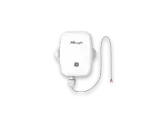
- LoRaWAN
- Class A, OTAA
- Band / port
- EU868 / port 85
- Pulse input
- Dry contact, reed switch, passive pulse meters
- Max input frequency
- 2000 Hz (min pulse width 250 µs)
- Pulse filter
- Rejects signals shorter than 250 µs
- Counter range
- UINT32 (cumulative pulses)
- Local storage
- 1000 history records, retransmission
- Ingress protection
- IP67
- Battery
- ER18505 Li-SOCl2, about 5 years at 10 min interval
- Configuration
- NFC (Milesight ToolBox)
What the EM300-DI measures
Pulse count
Cumulative UINT32 counter from water, gas or electricity meters with a pulse output.
GPIO status
Digital input state (open / closed) for contact monitoring.
GPIO alarm
Edge or threshold event flag, sent outside the regular interval.
Battery level
Reported periodically, with local storage and retransmission.
Integration
Sensor / controller
Measures or controls in the field and sends LoRaWAN uplinks.
LoRaWAN gateway
Receives the radio packets and forwards them to the server.
ChirpStack
Network server: manages sessions and decodes the payload.
ThingsBoard / Grafana
Dashboards, alarms, rules and reports.
function decodeUplink(input) {
  var bytes = input.bytes;
  var data = {};

  for (var i = 0; i < bytes.length; ) {
    var channel = bytes[i++];
    var type = bytes[i++];

    if (channel === 0x01 && type === 0x75) {          // battery (%)
      data.battery = bytes[i]; i += 1;
    } else if (channel === 0x03 && type === 0x67) {   // temperature (°C)
      data.temperature = readInt16LE(bytes, i) / 10; i += 2;
    } else if (channel === 0x04 && type === 0x68) {   // humidity (%RH)
      data.humidity = bytes[i] / 2; i += 1;
    } else if (channel === 0x05 && type === 0x00) {   // GPIO status (0/1)
      data.gpio = bytes[i]; i += 1;
    } else if (channel === 0x05 && type === 0xc8) {   // pulse counter (UINT32 LE)
      data.pulse = readUInt32LE(bytes, i); i += 4;
    } else if (channel === 0x85 && type === 0x00) {   // GPIO + alarm flag
      data.gpio = bytes[i];
      data.gpio_alarm = bytes[i + 1]; i += 2;
    } else {
      break;
    }
  }
  return { data: data };
}

function readInt16LE(b, i) {
  var v = (b[i + 1] << 8) | b[i];
  return v > 0x7fff ? v - 0x10000 : v;
}

function readUInt32LE(b, i) {
  return ((b[i + 3] << 24) | (b[i + 2] << 16) | (b[i + 1] << 8) | b[i]) >>> 0;
}
Implemented from the published Milesight byte specification (Communication Protocol / User Guide).
Channel format: 01 75 battery (%), 05 c8 pulse counter (UINT32 little-endian, cumulative), 05 00 GPIO status (0/1), 85 00 GPIO status plus alarm flag. The temperature (03 67) and humidity (04 68) channels are present on the shared EM300 platform but may not be populated on every unit. This is implemented from the published Milesight byte specification. For ThingsBoard the same channel logic goes into an uplink converter.
Uplink (hex)
01756405C82A000000Decoded JSON
{ "battery": 100, "pulse": 42 }Configuration & pitfalls
Pulse input type
Match the input mode to your meter: dry contact or reed switch passive pulse output. The wrong mode misses or doubles pulses.
Debounce filter
The counter rejects pulses shorter than 250 µs and the filter window is configurable over NFC. Tune it to the meter so bounce is not counted twice.
Cumulative counter
The pulse value is a running total, not a per-interval delta. Compute consumption as the difference between consecutive uplinks in the dashboard.
Pulse-to-unit factor
Each meter has its own pulses-per-litre or pulses-per-kWh factor. Store it per device so the raw count converts to real engineering units.
How merkaio supports your EM300-DI
From sourcing to day-to-day operation, all from one partner on our own European infrastructure.
Pre-staging & provisioning
We configure the EM300-DI, set keys, intervals and alarms, and ship it ready to deploy.
Own decoder
Payload codec for ChirpStack v4 and ThingsBoard, implemented from the Milesight specification.
Dashboard integration
Data lands in your ThingsBoard or Grafana, with alarms and reports.
Operations & monitoring
We run the LoRaWAN stack and dashboards on European infrastructure, you just use the data.
Frequently asked questions
Let's discuss your infrastructure. Digital and on-site.
Whether it's IoT platform development, hardware selection, managed hosting for ChirpStack, ThingsBoard, Grafana or NetBird VPN, or migration from a self-hosted setup - we'll find the right solution for your use case. Book a free 30-minute consultation, no commitment required.

Your contact
Timo Wevelsiep
Founder, merkaio
15 minutes, no commitment, directly with Timo.
Decoder for ChirpStack v4. merkaio is an independent integrator and is not affiliated with Milesight.